




How to Program a Dansat AC Remote? Buttons & Codes Guide

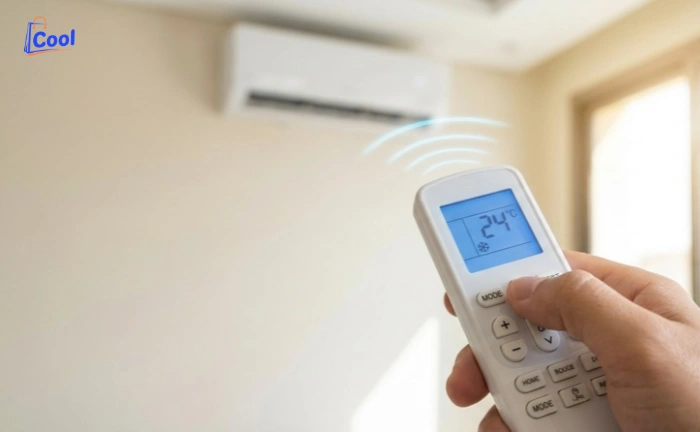
How do I program a Dansat AC remote? If you have the original Dansat remote, there is nothing to program: put in two AAA batteries, point it at the indoor unit and press ON/OFF. Programming (entering a code) is only needed with a universal remote. This guide explains every button, the MODE options (COOL, DRY, FAN), the LCD screen symbols, the timer, and how to set up a universal remote on a Dansat AC step by step.
Does the Original Dansat Remote Need Programming?
No. The original (or matched replacement) Dansat remote is made for Dansat units, so it works as soon as the batteries go in. When it sends a command, the signal icon on the LCD blinks once and the indoor unit gives a short beep, which confirms the AC received it.
Good to know: Dansat and Kenwood units sold in Saudi Arabia commonly share the same remote design. So if your old remote looks identical, compare the shape and buttons before you buy, and check the model on the indoor unit nameplate (for example DSA).
Dansat AC Remote Buttons Explained
Button names can differ slightly between models, but most Dansat remotes include these buttons:
| Button | What it does |
|---|---|
| ON/OFF | Turns the AC on or off |
| MODE | Switches between COOL, DRY, FAN (and HEAT or AUTO on some models) |
| + / − (TEMP) | Raises or lowers the set temperature; hold for 2 seconds to change it quickly |
| FAN | Changes fan speed: low, medium, high or auto |
| SWING | Moves the louvre up and down to spread the air |
| TIMER | Sets the AC to turn on or off after a number of hours |
| SLEEP | Night mode that raises the temperature gradually for comfortable, economical sleep |
| TURBO | Runs at maximum power for fast cooling, then returns to normal |
MODE Button Explained: COOL, DRY, FAN and HEAT
Each press of MODE moves to the next mode, and its icon appears on the LCD:
- COOL (snowflake ❄): normal cooling. Set the temperature with + / − and the speed with FAN. For Saudi summers, 23–25°C is comfortable and economical.
- DRY (water drop 💧): removes humidity. The fan runs at low speed and its speed can’t be changed in this mode. Useful in humid coastal cities.
- FAN (fan icon): air circulation only, no cooling. Use the FAN button to change speed.
- HEAT (sun ☀): works only on cooling and heating models. On a cooling-only unit, the AC won’t start in HEAT mode, so switch back to COOL.
- AUTO: the AC picks the mode based on room temperature (on models that support it).
Dansat Remote LCD Screen Symbols
- Large number: the set temperature, not the room temperature.
- Mode icon: snowflake, water drop, fan or sun.
- Fan bars: more bars means a higher fan speed.
- Signal icon: blinks each time you press a button.
- Clock or “h” with a number: the timer is set.
- Moon icon: SLEEP mode is on.
How to Program a Universal Remote on a Dansat AC
Universal remotes such as the KT-109 II have SET, ENTER and AUTO SEARCH buttons and support two methods. The exact steps are printed on the back of each remote, so follow them if they differ from the steps below.
Method 1: Enter the Brand Code Manually
- Find “Dansat” (or Kenwood) in the code list that comes with the remote and note the code.
- Point the remote at the indoor unit and press SET; a code number flashes on the LCD.
- Use ▲ / ▼ to reach the code, then press ENTER to save it.
- Press ON/OFF. If the AC starts and changes mode and temperature, the code is correct. If not, try the next code for the same brand.
Method 2: Automatic Code Search (When the Brand Isn’t Listed)
- Turn the AC on at the power supply and stand facing the indoor unit.
- Press SET, then press AUTO SEARCH (or hold it, depending on the remote). The remote starts sending codes one after another.
- The moment the AC beeps or starts, press ENTER immediately to lock that code.
- Test the buttons: ON/OFF, MODE, temperature and FAN. If some don’t work, repeat the search to find a better-matching code.
How to Set the Timer on a Dansat Remote
- With the AC on, press TIMER (or TIMER OFF): “h” and a number flash on the LCD.
- Press + or TIMER again to choose the number of hours.
- Wait a few seconds, or press TIMER to confirm; the timer icon stays on the LCD.
- To cancel, press TIMER until the number disappears.
Common Problems After Programming and Their Fixes
- The AC turns on but MODE or FAN doesn’t respond: the code is close but not exact. Try another code for the same brand.
- The remote screen works but the AC doesn’t respond: point it directly at the receiver sensor from no more than about 8 metres, and keep direct sunlight off the front of the unit.
- The remote forgets the code after changing batteries: some universal remotes lose the code, so program it again.
- HEAT doesn’t work: your unit is probably cooling-only, which is normal.
If the remote doesn’t work at all, read our guide: why is my AC remote not working.
Original Dansat Remote or Universal Remote: Which Should You Buy?
| Original Dansat remote | Universal remote (KT-109 II) | |
|---|---|---|
| Programming | Not needed | Needs a code or auto search |
| Functions | All Dansat modes | Most functions, some may be missing |
| Best for | Dansat and matching Kenwood units | Several brands at home, or an unknown brand |
Cool.sa stocks the original Dansat AC remote and universal remotes like the KT-109 II, along with remotes for other brands in the AC remotes range, with delivery across Saudi Arabia.
Not sure your remote is Dansat? Send a photo of your old remote or the indoor unit nameplate on WhatsApp 0540663777, and we’ll confirm the right remote before you order.
Shop the Dansat Remote Ask on WhatsAppFrequently Asked Questions
Q1. How do I program a Dansat AC remote?
The original Dansat remote needs no programming: fit the batteries and point it at the indoor unit. A universal remote is programmed with SET, then the brand code or auto search, then ENTER.
Q2. Does a Kenwood remote work with a Dansat AC?
In most cases yes, because Dansat and Kenwood units in Saudi Arabia commonly share the same remote design and code set. Compare the shape and buttons first, or send us a photo to confirm.
Q3. What does the water drop icon mean on a Dansat remote?
It is DRY mode, which removes humidity from the room with the fan at low speed. It is not the main cooling mode; for cooling, choose the snowflake (COOL).
Q4. Why does the Dansat remote work but the AC won’t start in HEAT mode?
Because the unit is most likely cooling-only. Cooling-only units don’t accept the HEAT command, so switch MODE back to COOL.
Q5. How do I reset a Dansat remote?
Remove the batteries, hold ON/OFF for 10 seconds to drain any leftover charge, then fit new batteries. If the remote has a small RESET button, press it with the tip of a pen.